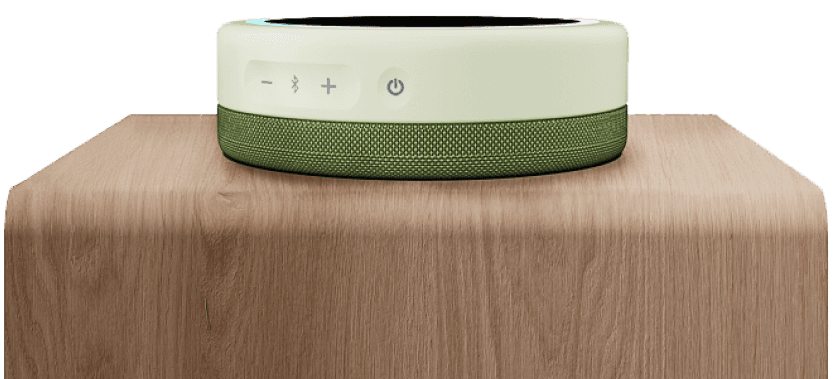


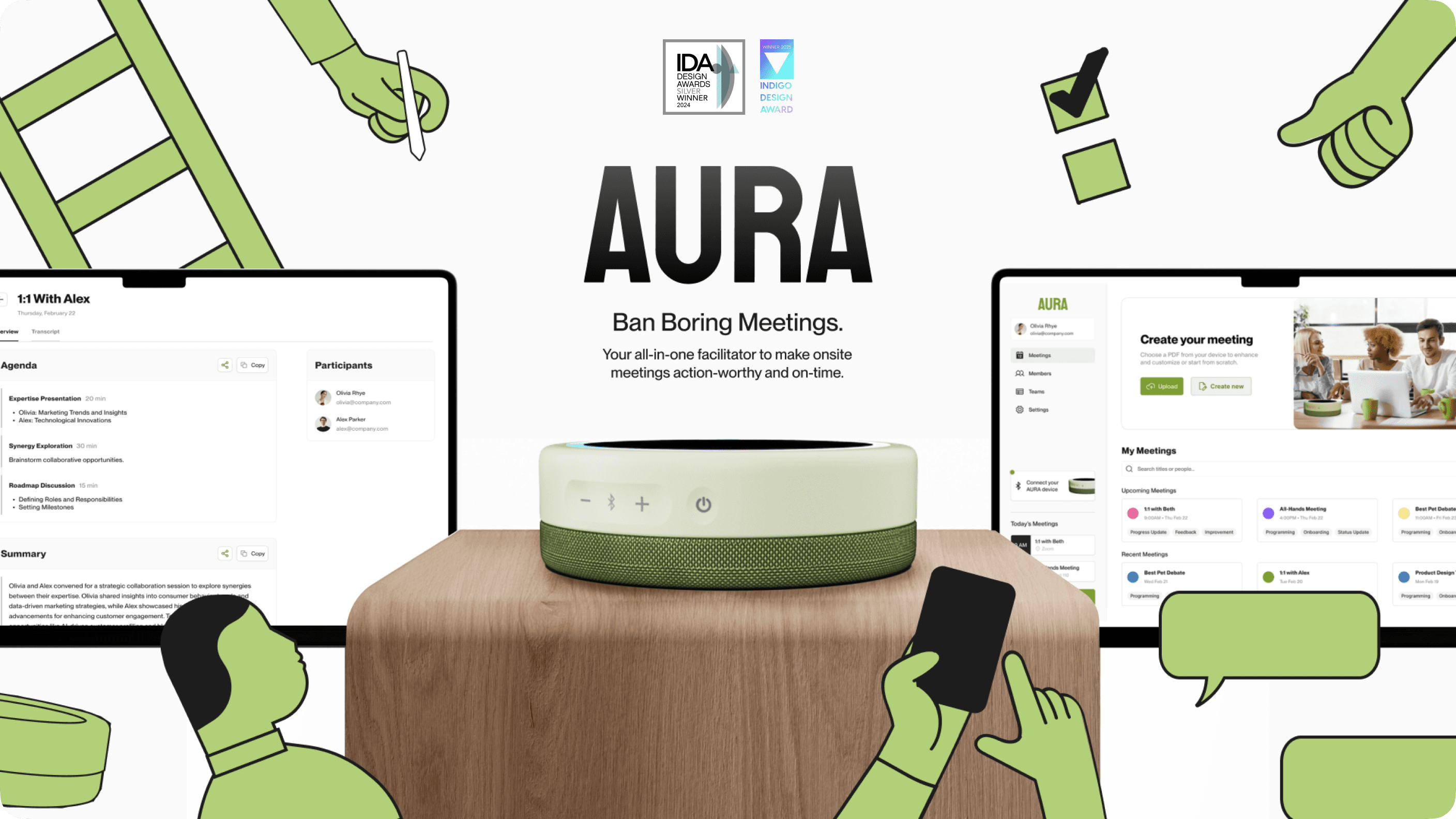
Aura is the ultimate facilitator assistant to help boost onsite team meeting efficiency by working behind the scenes to understand, adapt, and respond to every meeting to ensure they are always dynamically action-worthy and on-time for any meeting format, any room, and any team.
THE TEAM
Chloe Au Yeung
Belle Duffner
Lara Kim
Santos Torres
MY ROLES
UI Design Lead
Interaction Design Lead
UX Researcher
TOOLS
Figma, Adobe Suite, Rhino 3D, Keyshot
TIMELINE
Jan - Mar 2024 (10 Weeks)
So, what’s this about?
Meetings suck. Remember those meetings that could have been an email?
Sometimes (or maybe a lot of times), meetings feel like a waste of time.
Especially when they're too long, too frequent, or have unrelated participants.
Meetings should be purposeful with a clear agenda.
Problem Statement
Identifying the issue
Despite Americans spending a significant portion of their workweek in meetings, studies reveal that over 71% of these meetings are deemed unproductive due to issues like timeliness, topic consistency, and lack of follow-up action. This problem is particularly acute for Product Teams, which endure even more meeting time than other departments.
1. Kickoff Call - Secondary Research
Statistics
By the numbers
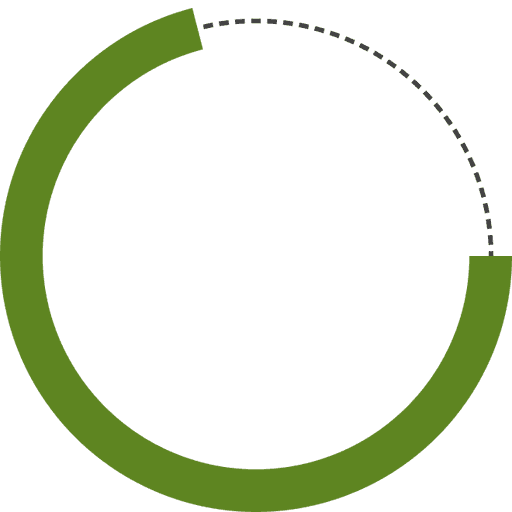
71%
of workers say meetings are unproductive or inefficient.
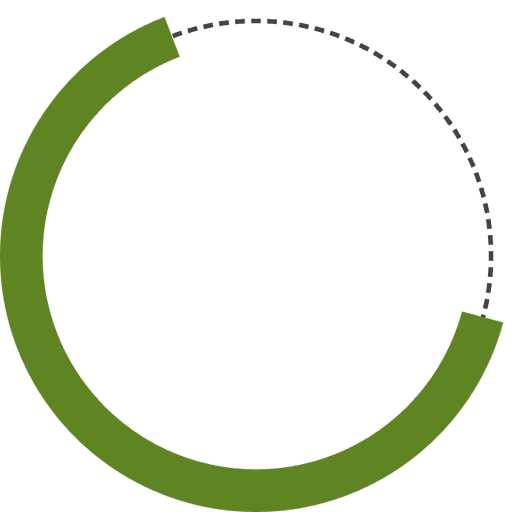
65%
of workers say meetings keep them from doing deep work.
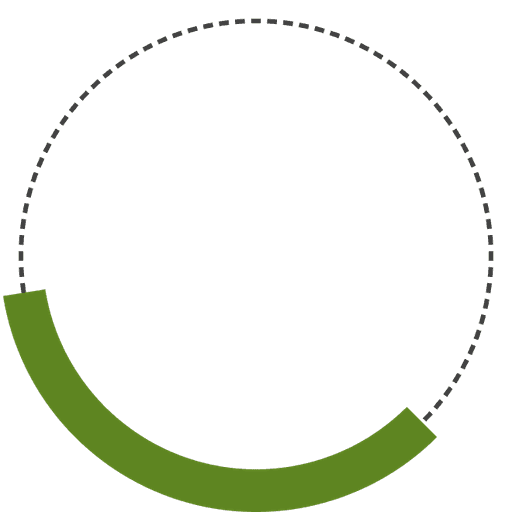
35%
of employees say too many meetings contribute to burnout.
Interviews
What do people say?
We outreached to 9 people, including alumni and product teams in the industry, for one-to-one interviews. We wanted to understand what makes or breaks the line for an unproductive meeting. There was an overwhelming majority that agreed the primary factors of poor meetings were:
Structure
Mediate
Efficiency
Clarity
Rapid Prototype Testing
Prototype Sprint
From these factors, we refined our early concept model into a rapid prototype to test how removing or assisting these factors helped a simulated meeting’s time and productivity.
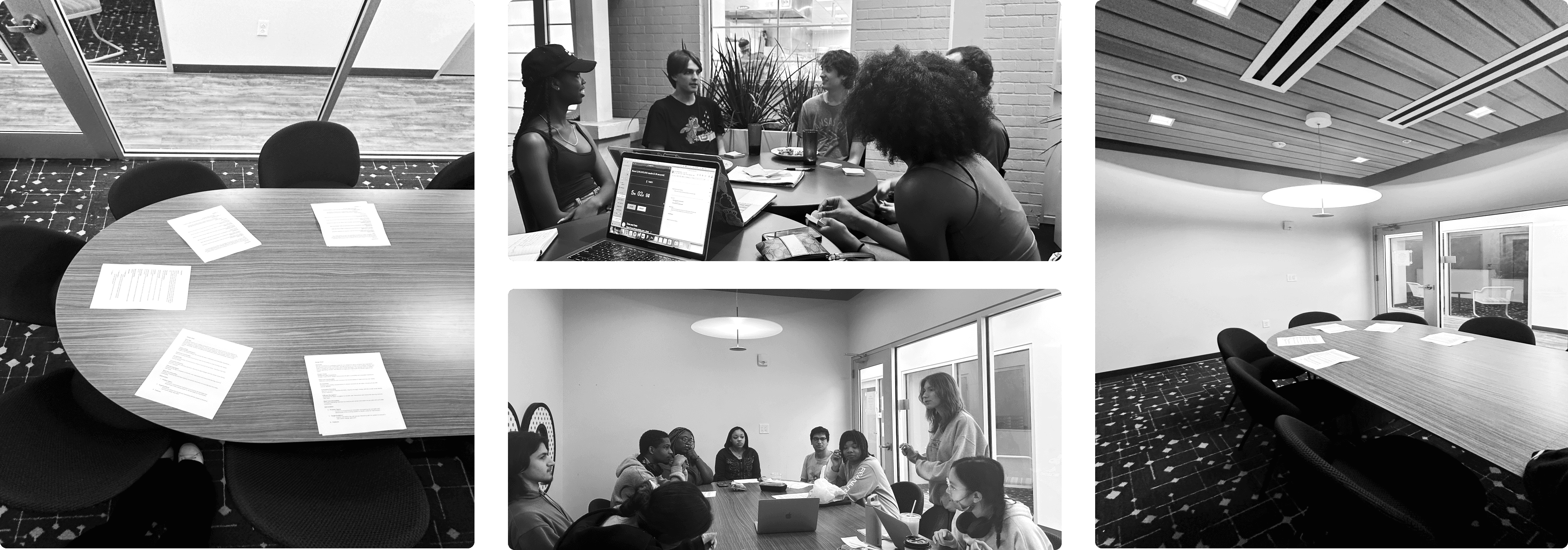
The result showed that all experimental groups assisted by encouraged clarity, time management, meeting structure, and off-topic mediation resulted in a more productive meeting based on time of completion and follow-up actions.
2. Agenda Review - Analysis
Affinity Mapping
Sticky Note Workshopping
From the insights we collected from all interviews and rapid prototype testing, there were 182 pieces of data produced.
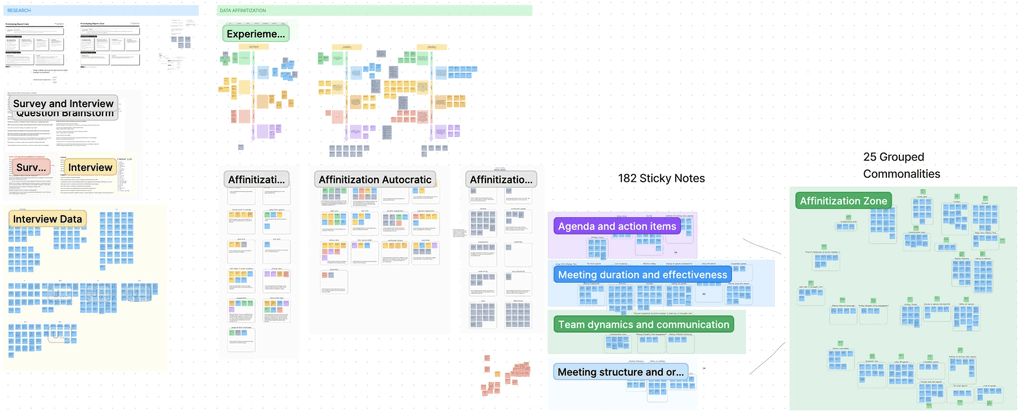
We affinitized the data by grouping through commonalities, from which we were able to finalize these 4 key insights:
We believe a good agenda structures the meeting’s goal and its necessary talking points which minimizes time wasted from unresolved topics and meeting length.
We believe a facilitator adhering to a good agenda structures the meeting’s goal and its necessary talking points to be completed to prevent poor adherence and communication.
We believe that sticking to scheduled meeting times and agenda is time-efficient by preventing overload and miscommunication.
We believe establishing clarity in meetings is crucial to facilitate effective communication, which keeps everyone on track for completion.
Competitor Analysis
Studying the market
We analyzed our competitors by finding their strengths and weaknesses. We then compared them on a perceptual map to find our areas of opportunities.
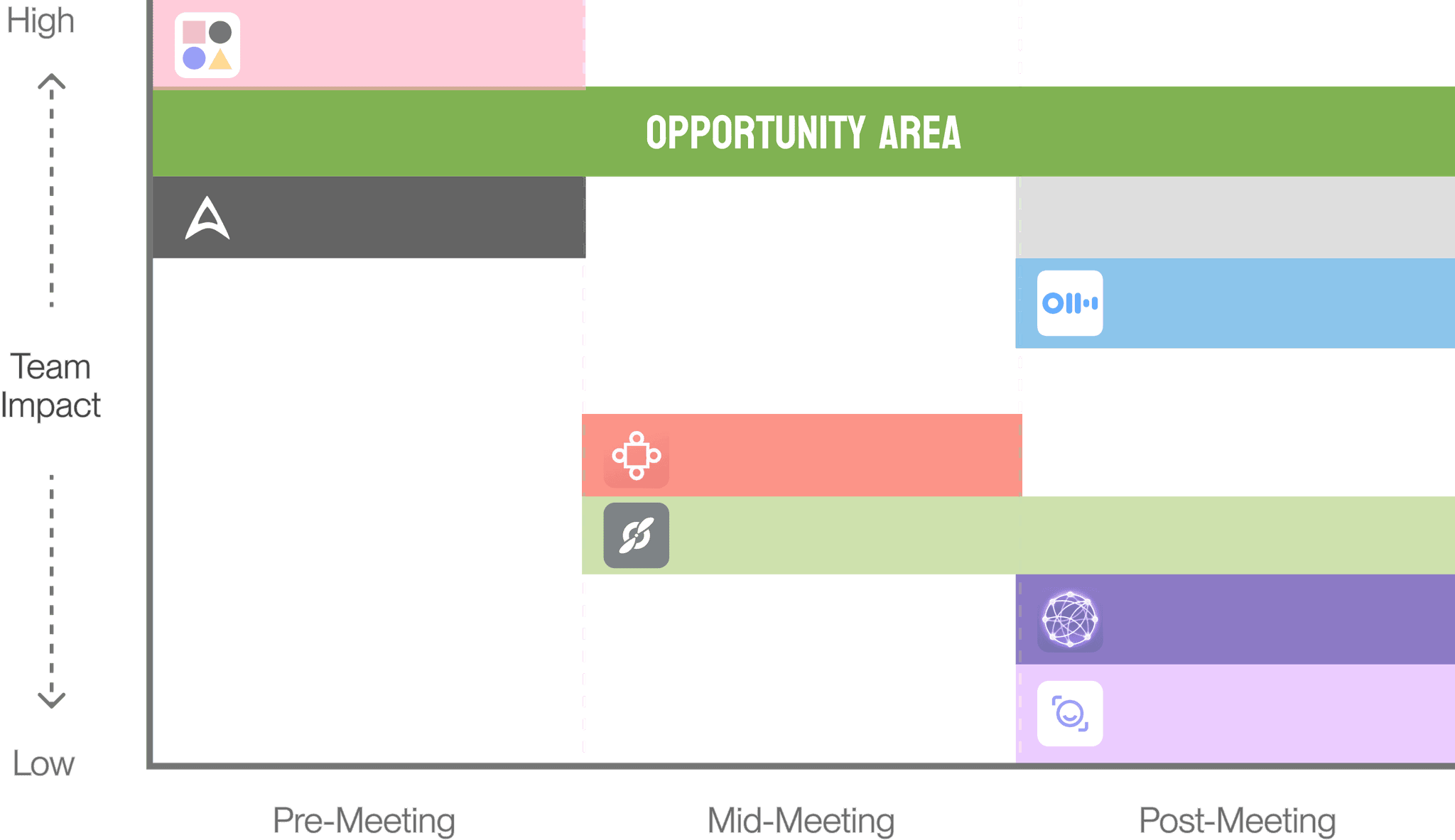
These key insights led us to our How Might We statement.
How Might We Statement
Asking the key question
How might we...
help Product Teams reduce unproductive work by increasing meeting efficiency?
3. Opening the Floor - Ideation
Early Concepts
Where the ideas started
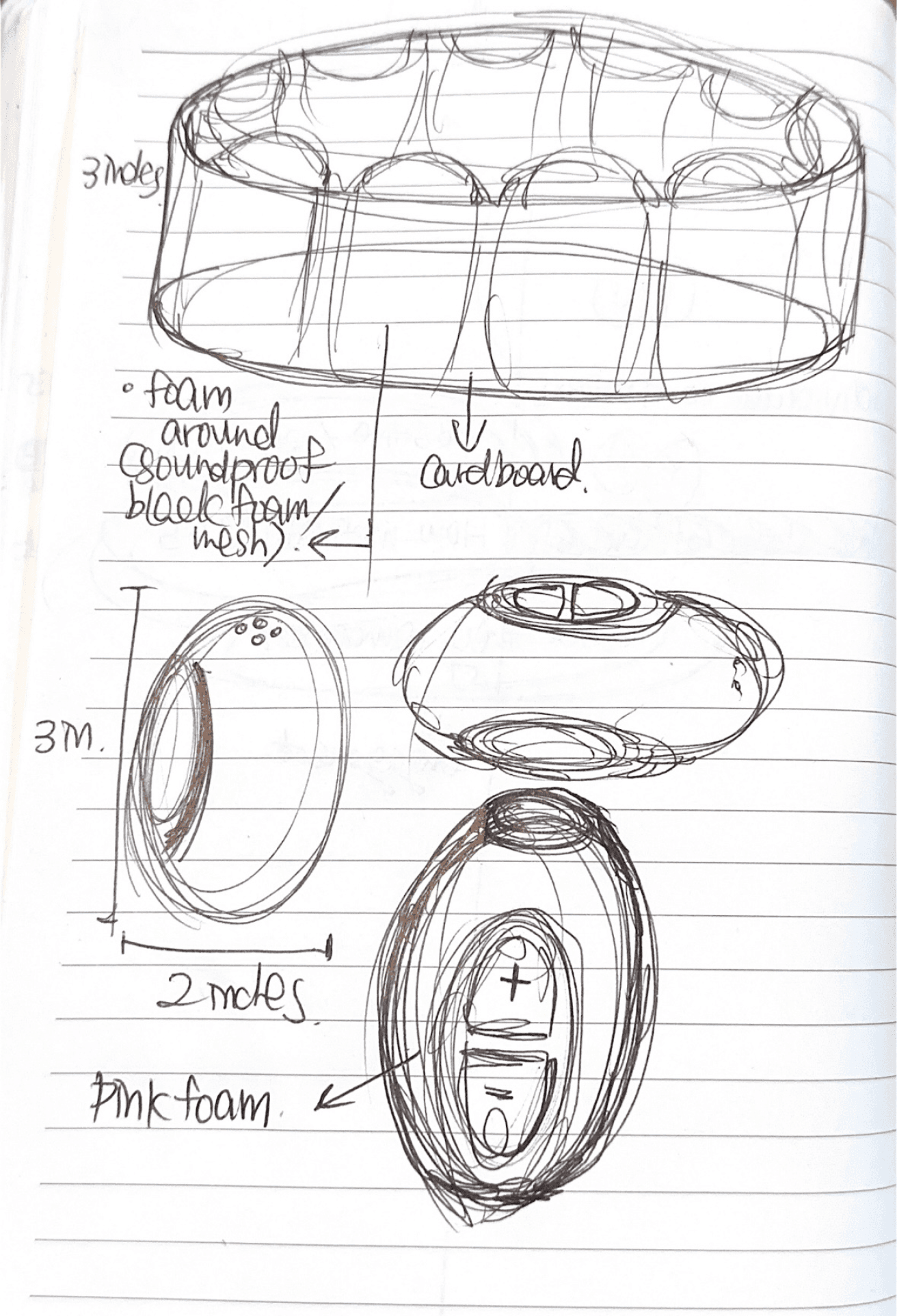
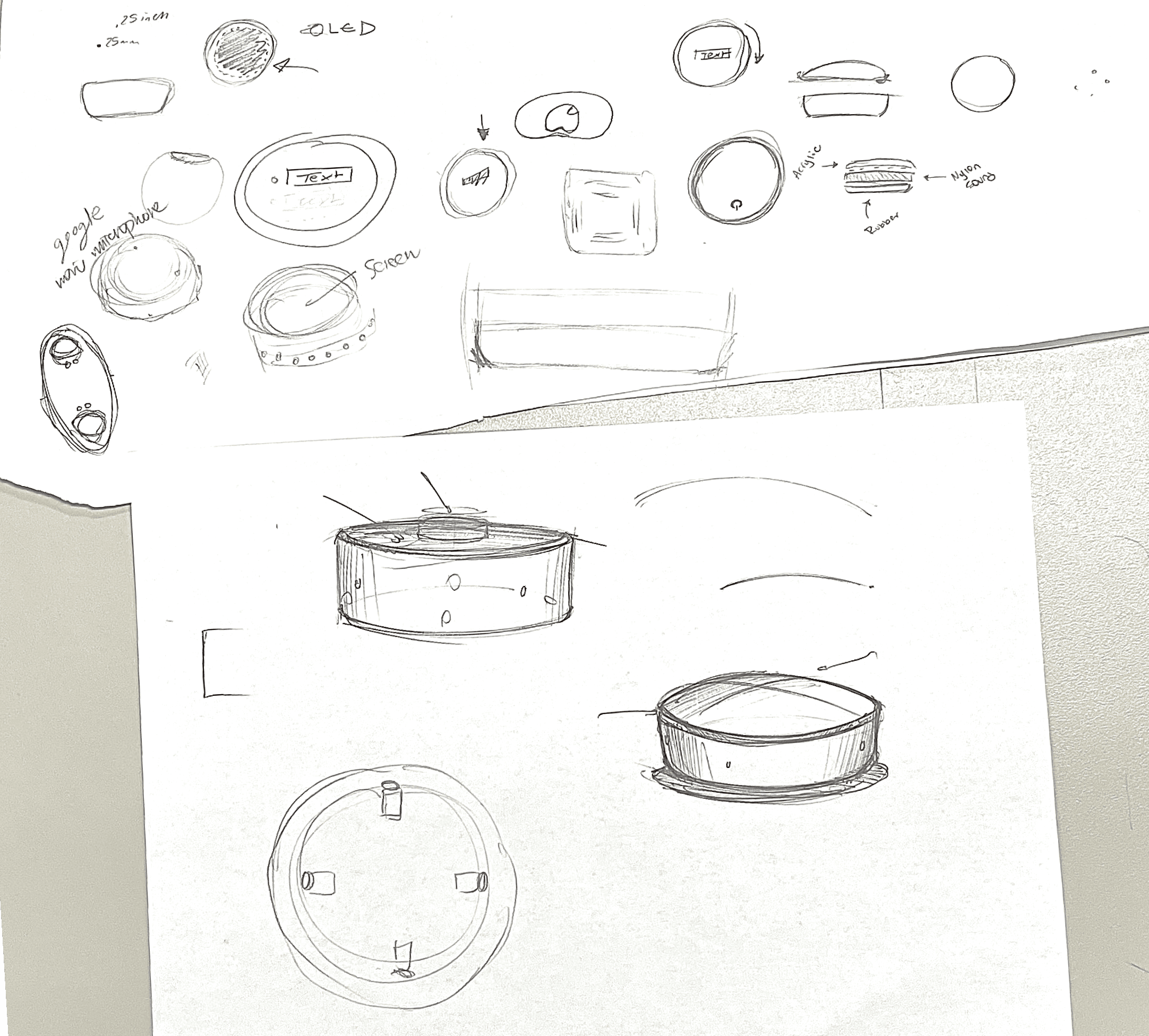
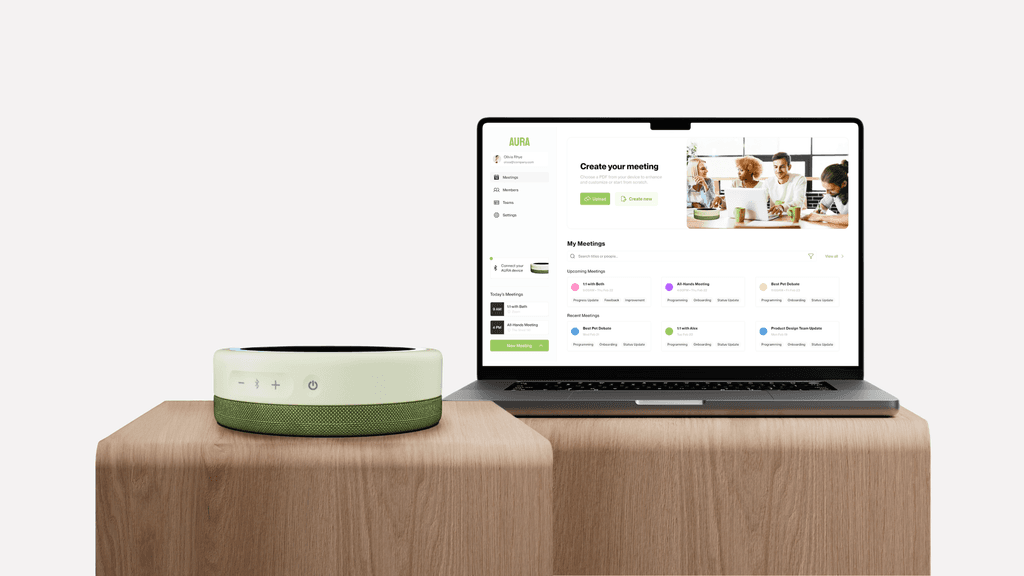
We decided to create a physical prototype and a desktop application prototype for our solution.
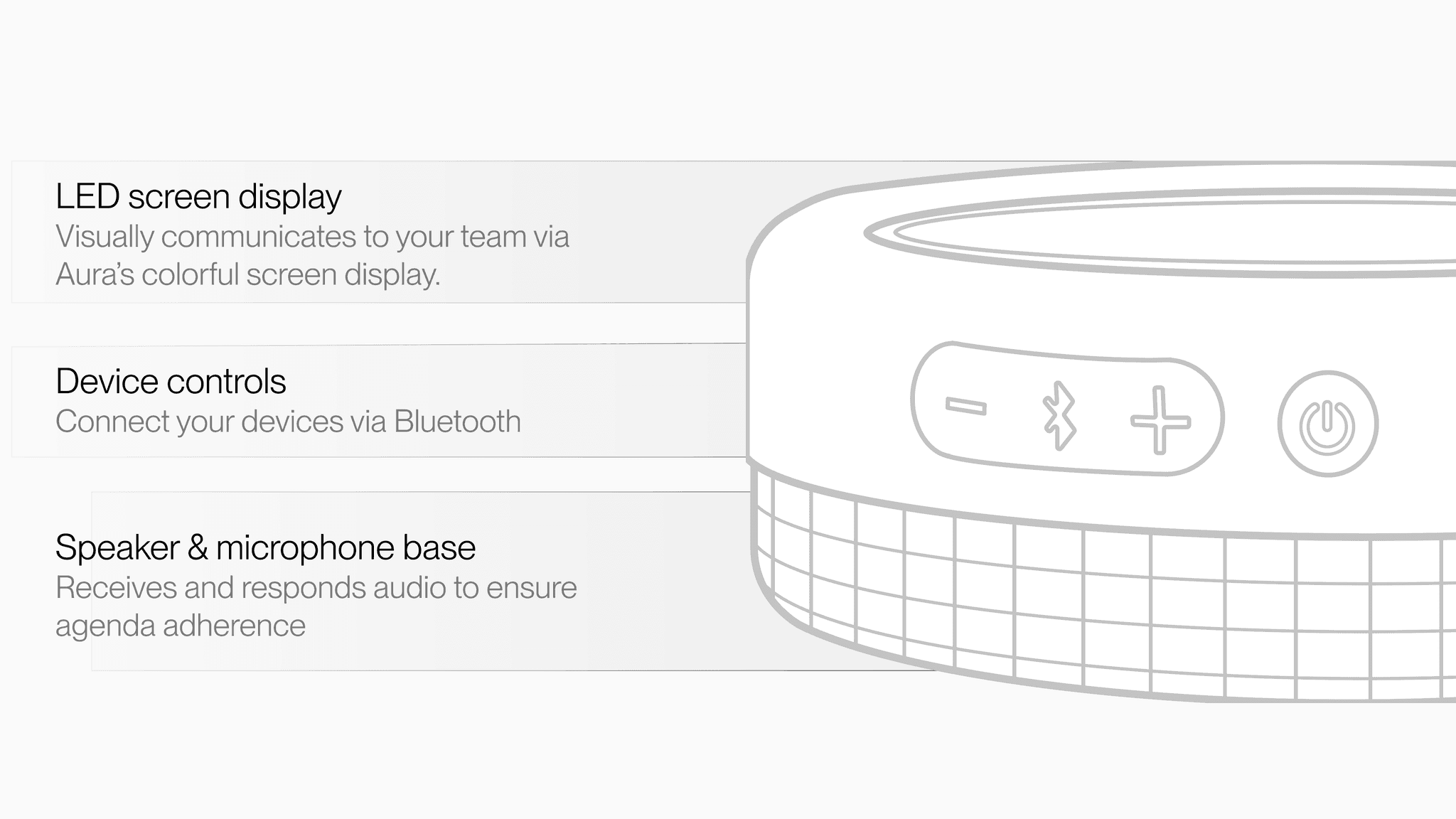
Physical Device: Facilitates the meeting and records conversations with transcripts.
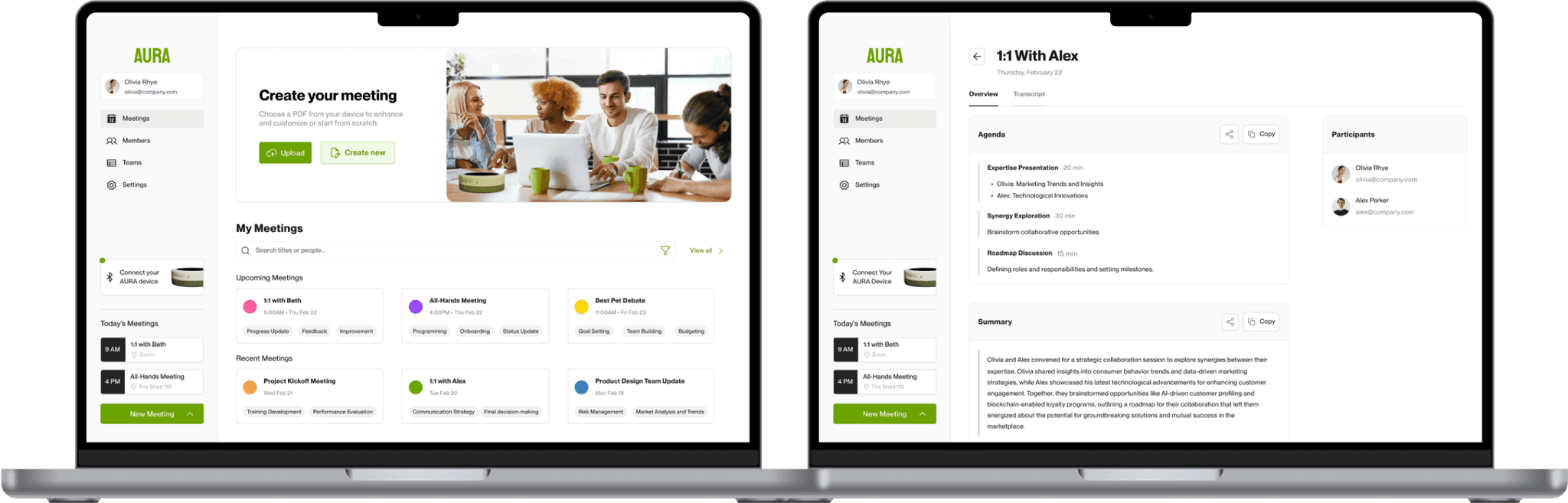
Desktop Application: Users can manage and access all their meetings, and can connect to the physical device.
Mid-fi Wireframes
Screens in the making
As the UI Lead, I started wireframing our desktop application screens. I developed the layout, functionality and structure of our app, as well as exploring shades and colors.
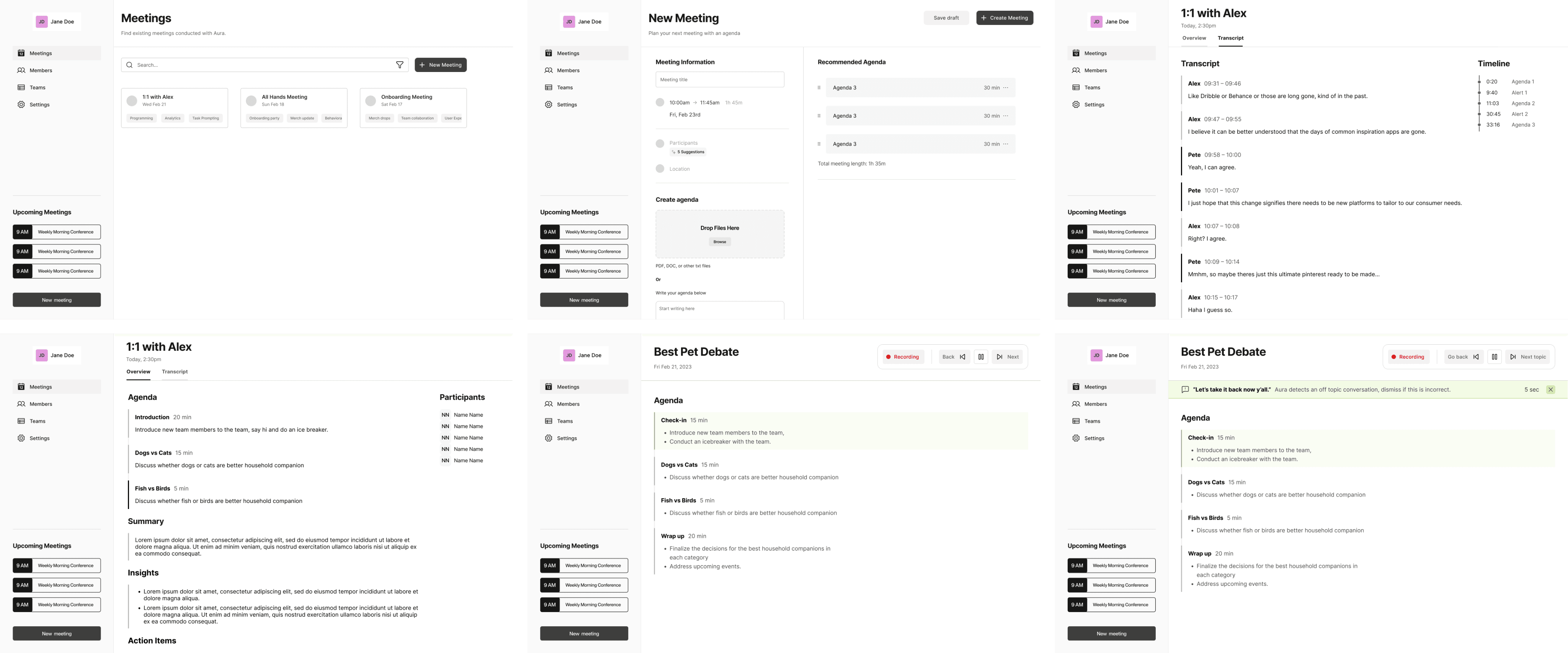
Once we had our initial idea and wireframes, it's time to see if our concept resonated with our users.
4. Clinical Trials - Usability Testing
Card Sorting
Grouping the ideas
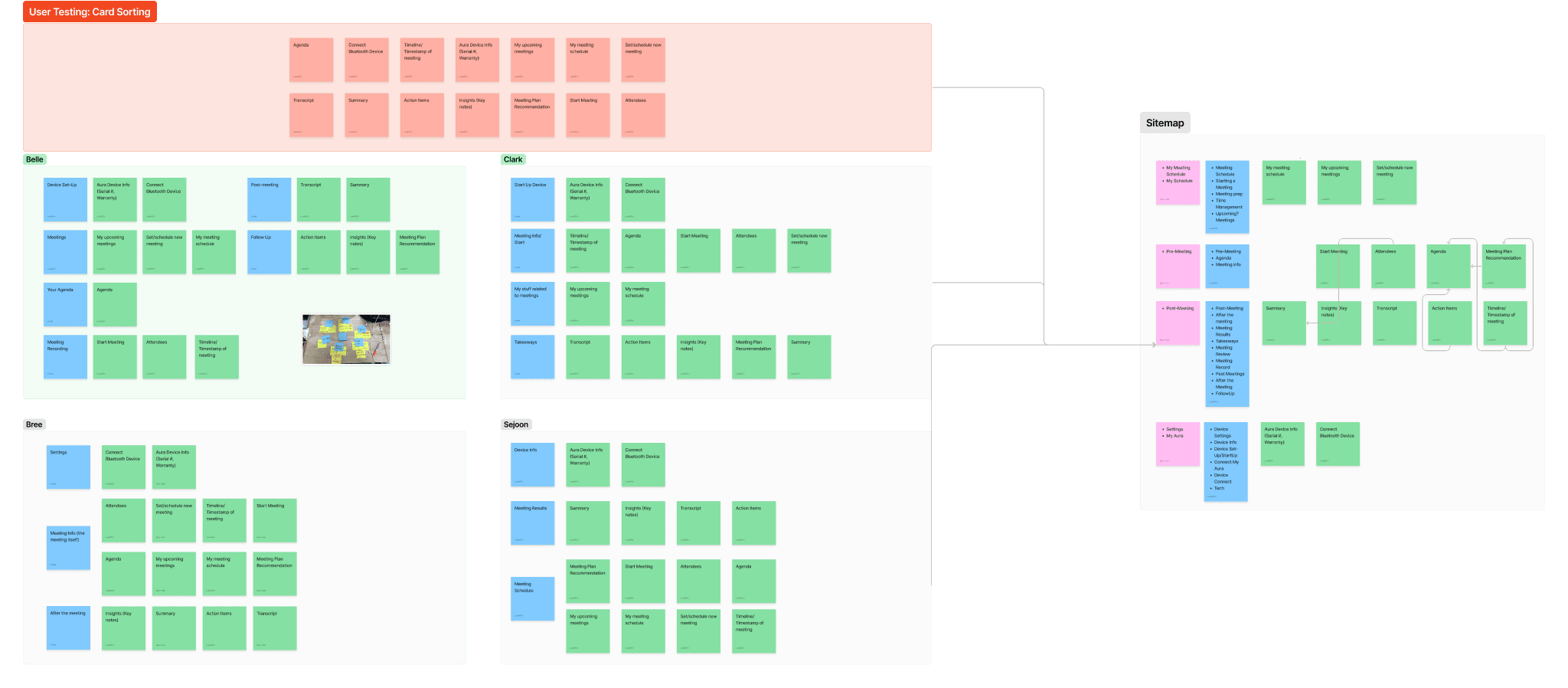
In order to understand whether the information architecture of our application made sense to our users, we asked them to categorize the list of 14 features into separate categories, and also to name the categories that they came up with.
Through analyzing the repeating trends among all the cart sortings, we were able to refine and update our information architecture and finalize our sitemap.
User Testing
Testing with real users
We created a set of tasks for users to complete on our digital interface and physical device, then asked them for feedback about what they liked, and what they think can be improved on.
Digital Interface
Set up a new meeting
Go to '1:1 With Alex''s meeting and check Overview
Go through the mid-meeting process
Physical Interface
Turn on our Aura device
Connect the device to Bluetooth
Start the meeting on the digital interface
Go through the meeting process
Our key takeaways
We learned that…
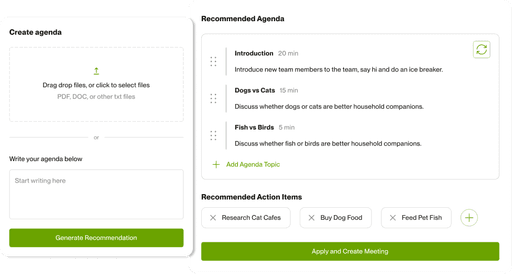
Users wanted recommended action items after entering the agenda.
The physical device should have more light flashing features to indicate to meeting attendees about the time.
5. Making It Official - Final Concept
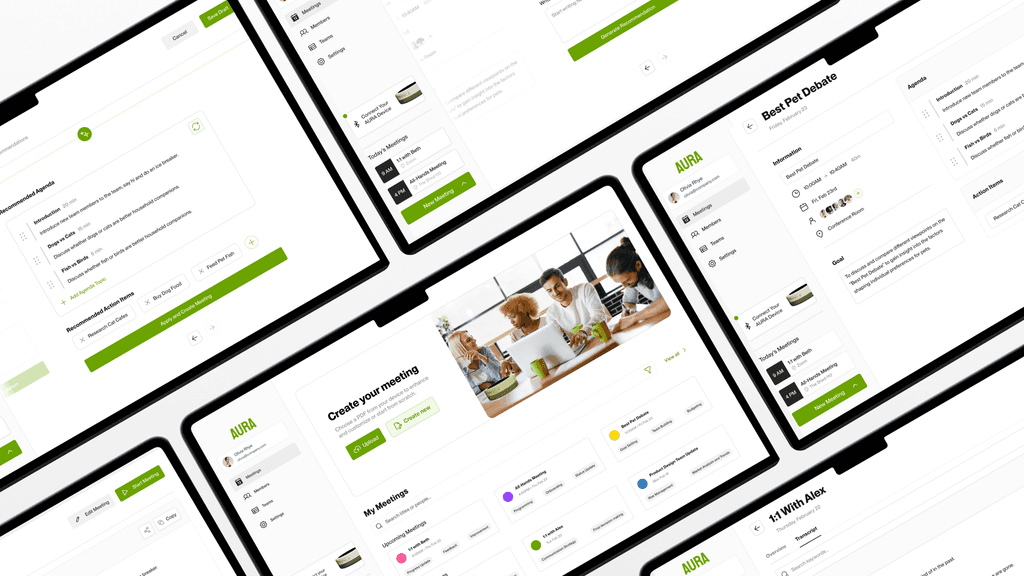
Hi-fi Wireframes
Ready for handoff
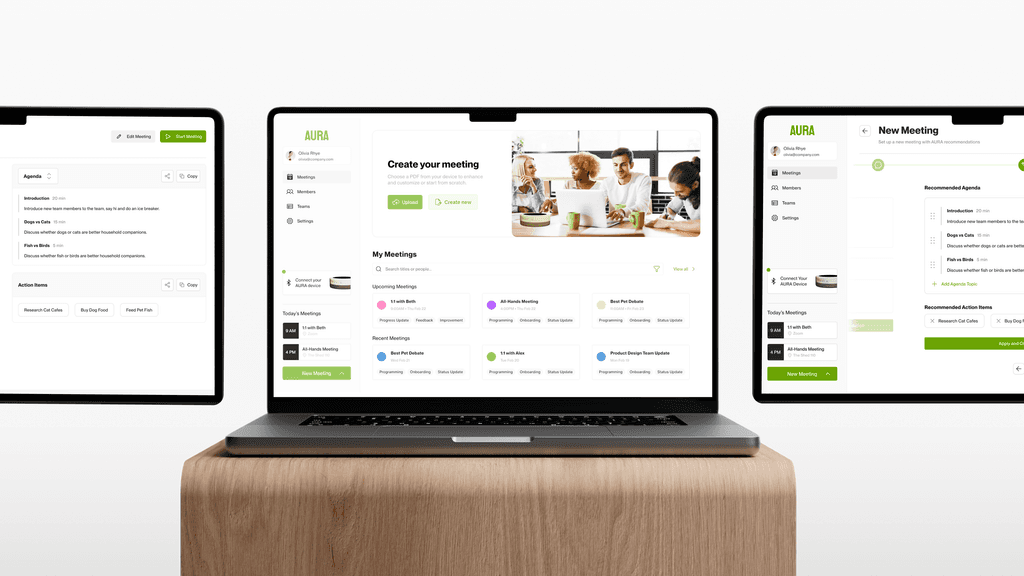
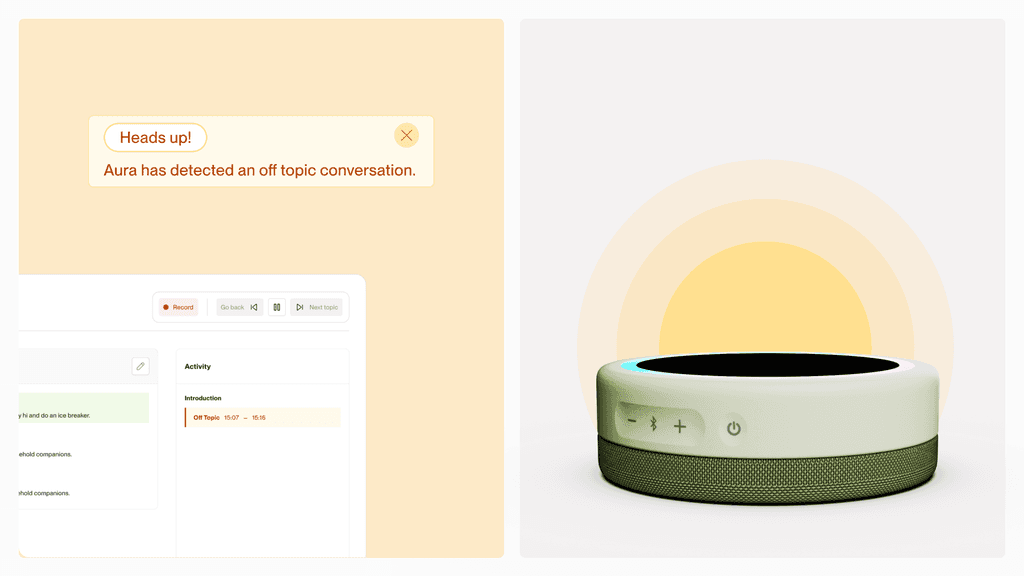
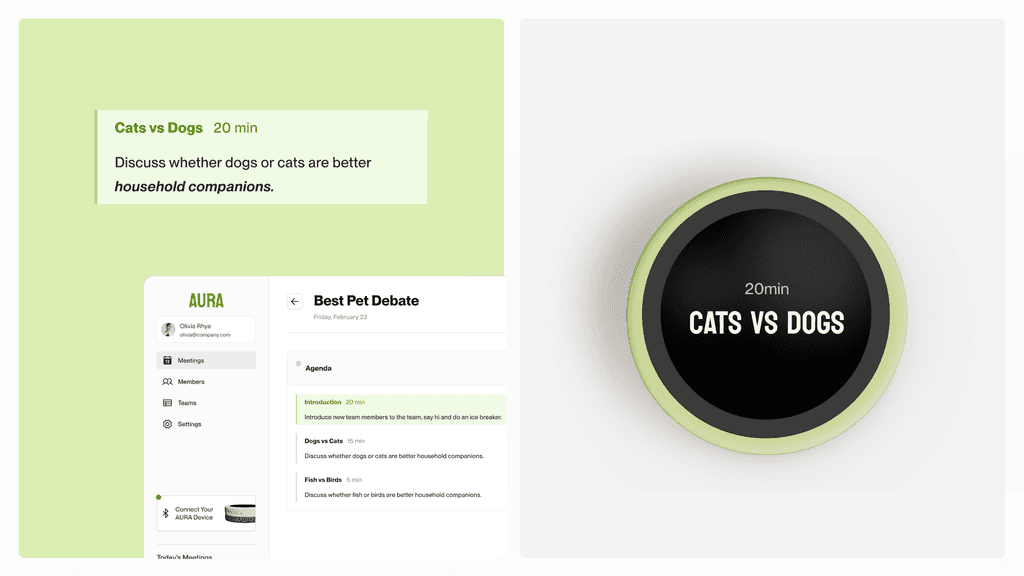
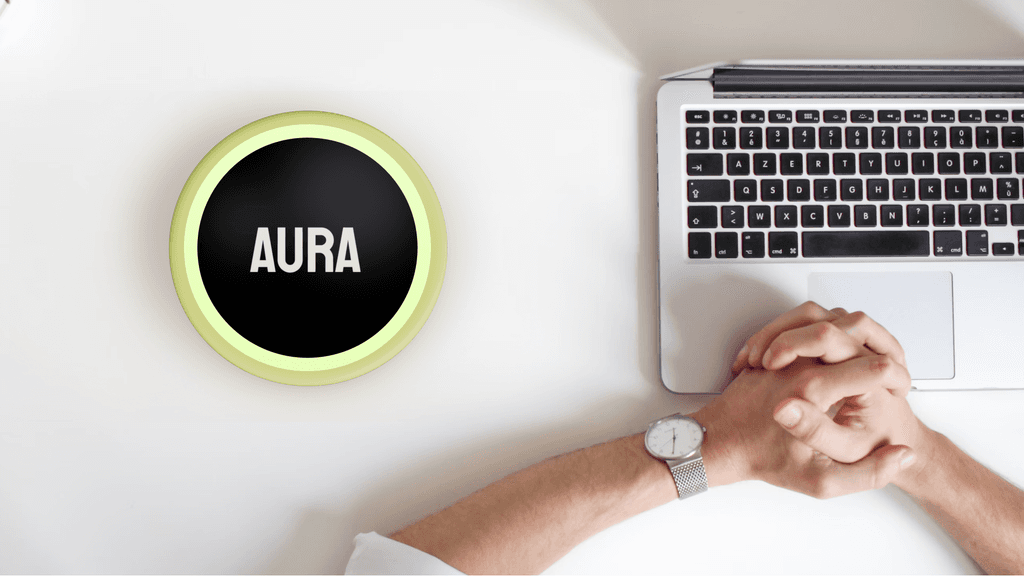
Solution
The Ultimate Facilitator Assistant
(1)
Pre-Meeting
(2)
Mid-Meeting
(3)
Post-Meeting
Pre-Meeting
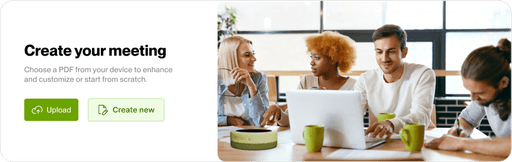
Create agendas from any text file
including documents, meeting notes, or prompts.
Generate recommended agendas and action items from Aura
when creating a meeting plan.
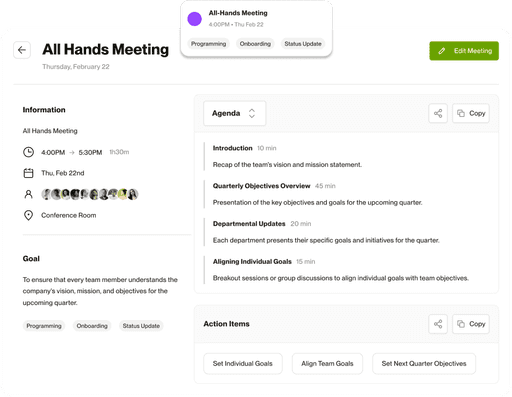
Access your saved meetings
whenever you need.
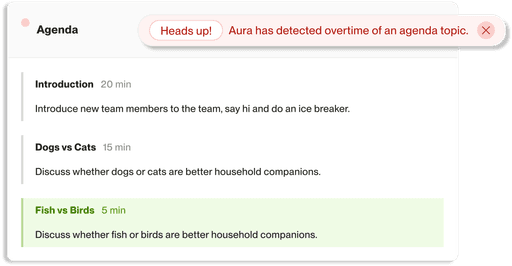
Mid-Meeting
Time-based agenda topics
to ensure punctuality in each meeting.
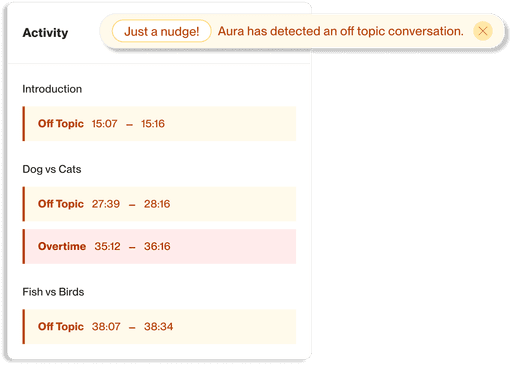
Agenda keywords
to help monitor off-topic discussions, so your team can focus during the meeting.
Post-Meeting
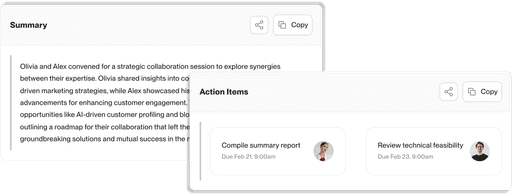
Automatic summaries and action item assignments
based on meeting content, which can be shared as PDFs or text for easy access.
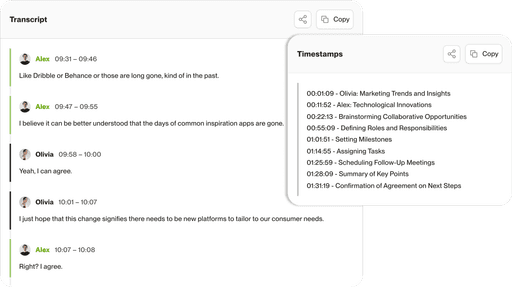
View the transcript of your recorded meeting
via tagged participants

6. No More Boring Meetings
My Reflections
Good meetings from now on
Good products listen first
While interacting and testing with our users, I was able to understand their pain points and needs, which allowed me to improve our product's flow, structure and functionalities, ensuring it aligns with user expectations.
Interfaces that are human-centered
When I was creating the UI, I stepped in the shoe of a user who has many meetings everyday. How can I make the interface simple yet straightforward, so our users can manage their meetings easily among their busy schedule? How can I design the interactions of each button so users can go through our application with only a few clicks? By empathizing with our users, it has helped me a lot during my design process, to create a design for humans.
That’s a wrap — thanks for stopping by!
Hope you enjoyed the journey.
Check out my other projects •ᴗ•